How to change the cPanel password? 인쇄

  • cambiar la contraseña
  • 0

Changing the cPanel password regularly is a good security habit to ensure the security of your cPanel account. This article will show you how to change this password from cPanel.

  1. Log in to cPanel
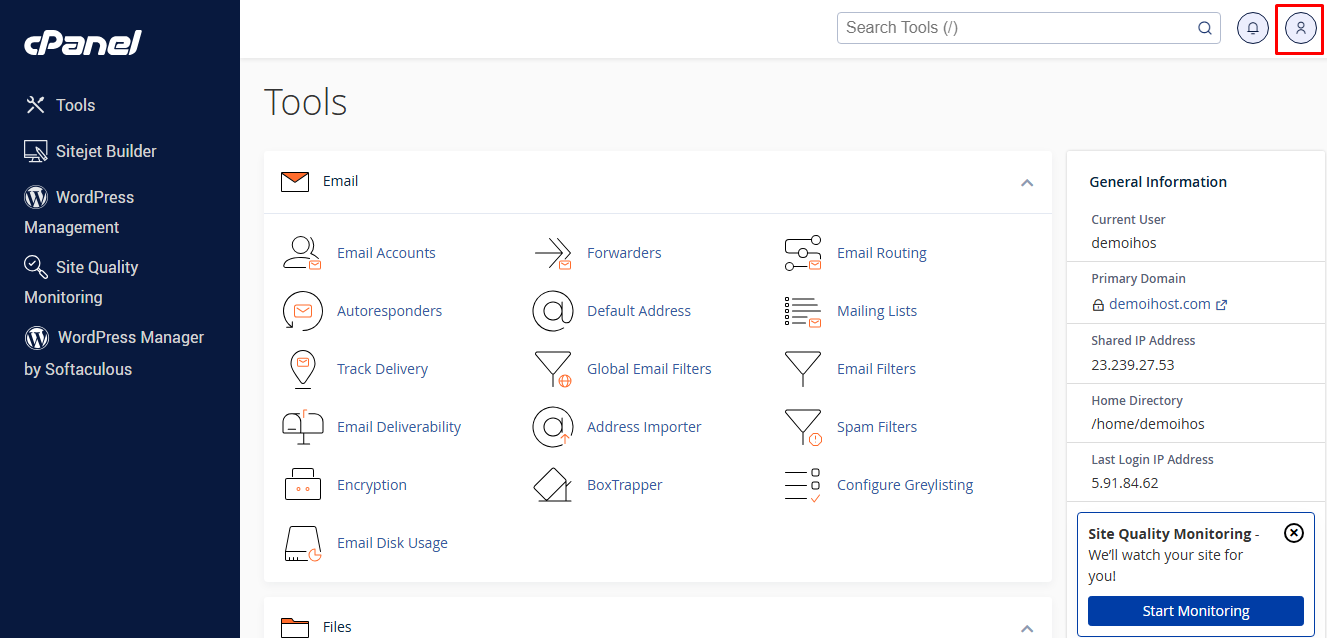
  2. Go to the "User Preferences" in the upper right corner of the cPanel home screen. 
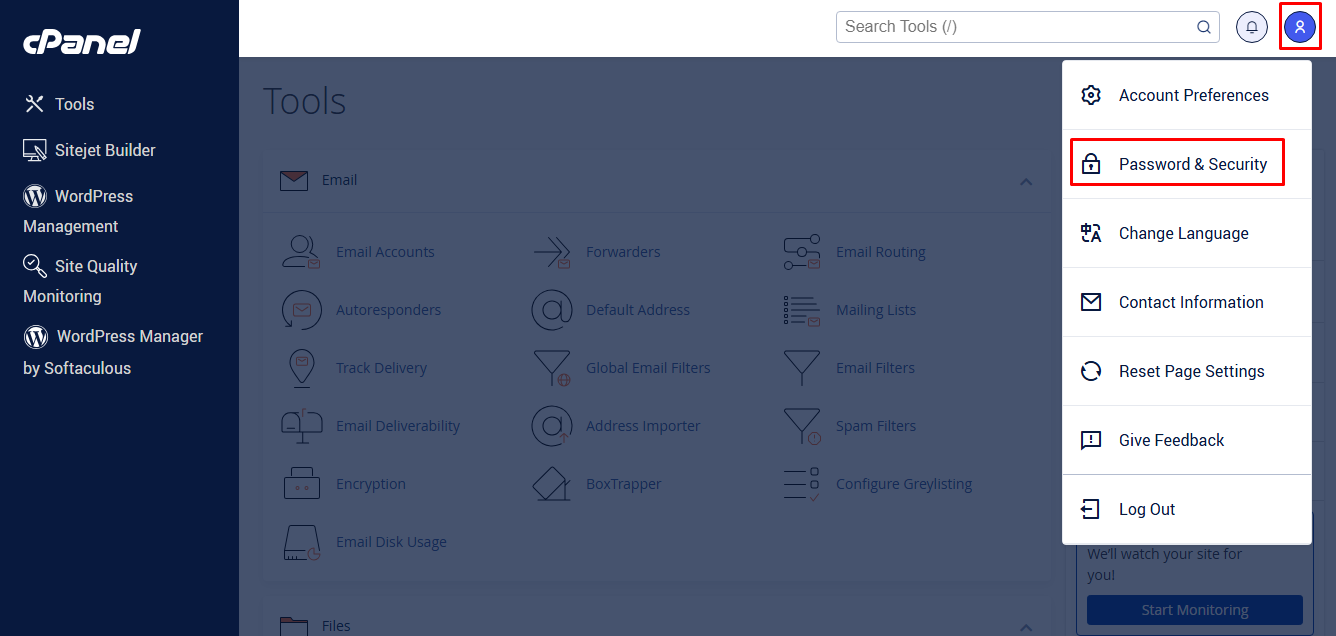
  3. Click on the Security and Password option to enter the password change page. 
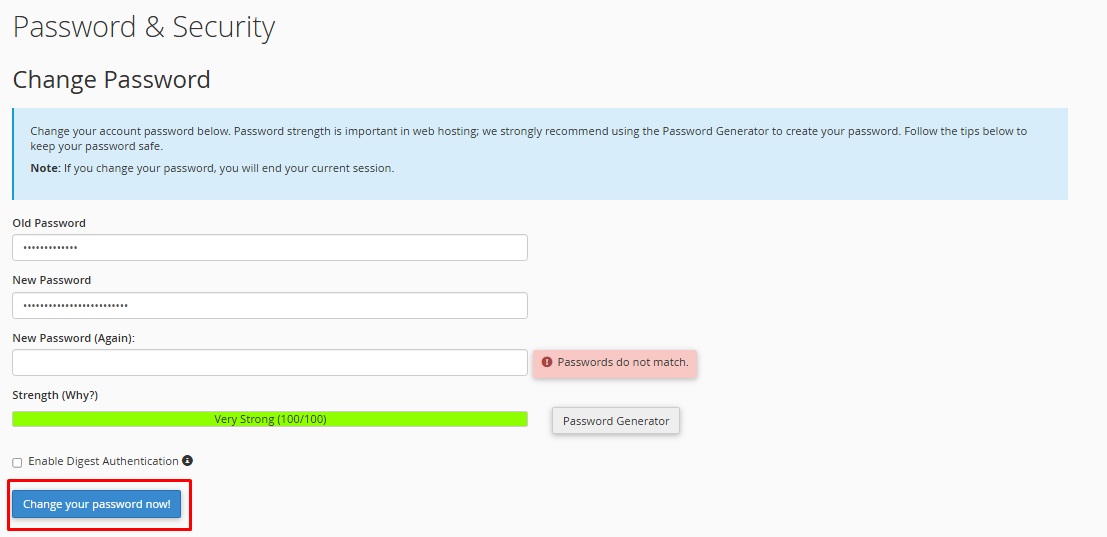
  4. Enter the current password, as well as the new password with your confirmation, you must make sure that the password is secure enough. Once you are sure, and you have the password saved, you can press the Change Password Now button.
이 답변이 도움이 되었나요?

« 뒤로

Code Host
조회 5566회

How to change the cPanel password?

Changing the cPanel password regularly is a good security habit to ensure the security of your cPanel account. This article will show you how to change this password from cPanel.

  1. Log in to cPanel
  2. Go to the "User Preferences" in the upper right corner of the cPanel home screen. 
  3. Click on the Security and Password option to enter the password change page. 
  4. Enter the current password, as well as the new password with your confirmation, you must make sure that the password is secure enough. Once you are sure, and you have the password saved, you can press the Change Password Now button.